
Introduction
“Design and development” gets used as a single phrase so often that many people assume it’s one job done by one person. In practice, design and development are two distinct disciplines — each requiring different skills, different tools, and different thinking — that work together to produce a successful website.
Understanding the difference matters whether you’re planning a new website, hiring a professional, or simply trying to communicate clearly with an agency about what you actually need. This guide explains what each discipline involves, where they overlap, how they collaborate, and how to decide which one (or which combination) your project requires.
Quick Answer
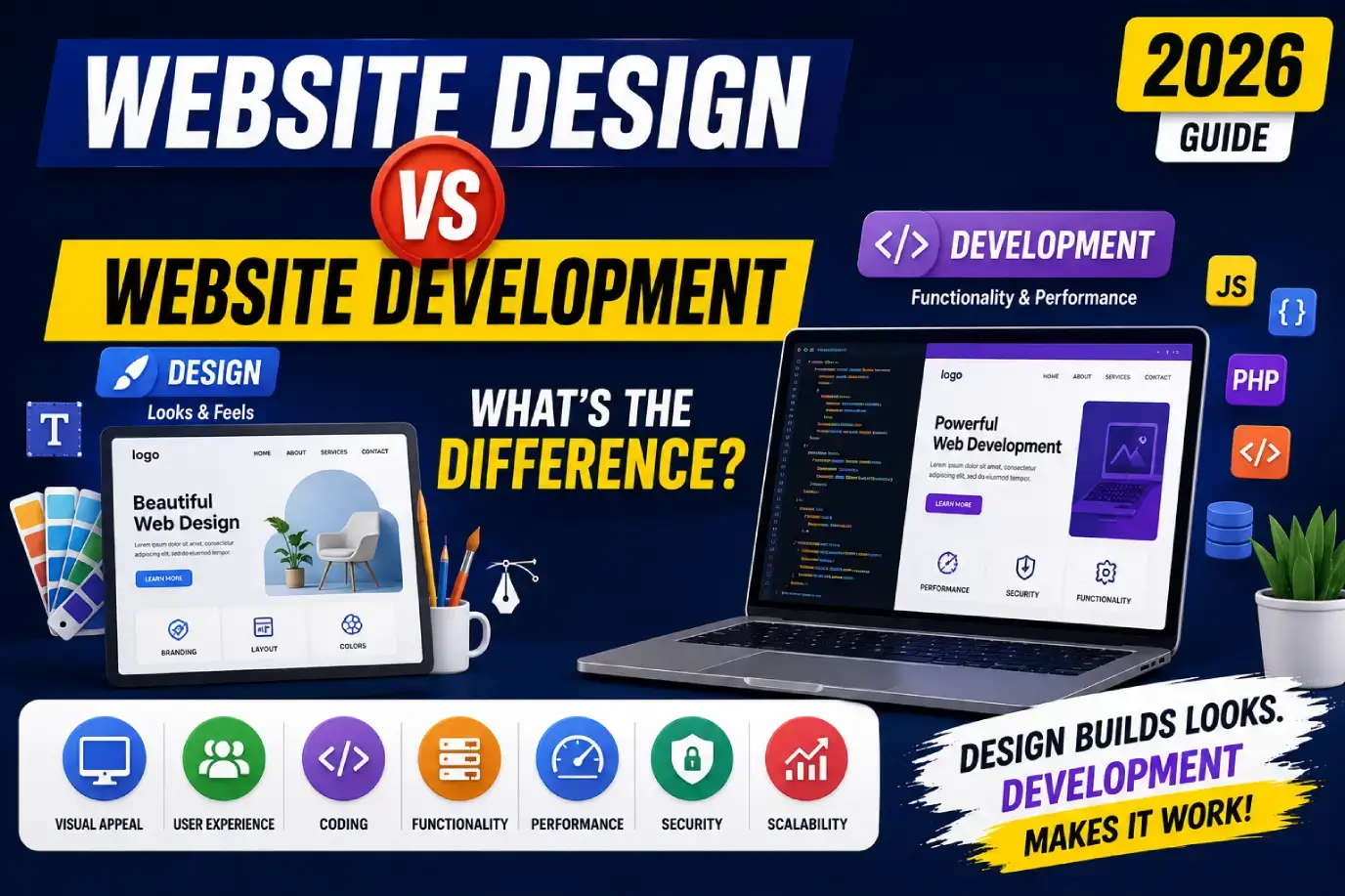
Website design is the process of planning a website’s visual appearance, user experience, and interface — what it looks like and how it feels to use. Website development is the process of building the actual functioning website — writing the code, setting up the database, and connecting all the systems that make a site work. Design comes first in the workflow; development turns those designs into a live, interactive website. Most professional web projects require both disciplines, either from separate specialists or a full-service agency.
Key Takeaways
- Design and development are distinct disciplines with different tools, outputs, and skill sets.
- Designers focus on visual appearance, UX, and user flows; developers focus on functionality, code, and systems.
- Design typically precedes development in the project workflow — you build what’s been designed.
- Frontend development is closer to design; backend development focuses on server-side logic and data.
- Many projects need both — hiring for only one when you need both is a common and costly mistake.
- Full-service agencies handle both disciplines in a coordinated workflow, reducing handoff friction.
1. Quick Comparison
| Factor | Website Design | Website Development |
|---|---|---|
| Focus | Visual appearance, UX, user flows | Code, functionality, systems |
| Primary output | Wireframes, mockups, prototypes, design systems | Functional website, code, databases, APIs |
| Primary tools | Figma, Adobe XD, Sketch | VS Code, GitHub, React, PHP, Python |
| Skill emphasis | Creativity, visual thinking, UX research | Logic, problem-solving, technical implementation |
| When in project | Earlier (planning and design phases) | After design is approved |
| Who does it | Web designer, UI/UX designer | Frontend, backend, or full-stack developer |
2. What Is Website Design?
Website design is the discipline of planning and creating the visual and experiential aspects of a website — what it looks like, how it’s organized, and how users interact with it. It encompasses two closely related sub-disciplines: UI design (User Interface — the visual layer) and UX design (User Experience — the flow and feel of using the site).
Design outputs typically include:
- Sitemaps and user flow diagrams
- Wireframes (structural page layouts, no visual styling)
- High-fidelity mockups (visual designs with colors, typography, imagery)
- Interactive prototypes (clickable designs simulating user interaction)
- Design systems and component libraries
Good website design ensures that a site is visually compelling, easy to navigate, and built around how real users think and behave — not just how the business wants to present itself.
3. What Is Website Development?
Website development is the process of taking approved designs and building them into a functioning, live website using code. It involves writing the markup, styling, and logic that make a website interactive and functional — as well as connecting databases, APIs, and backend systems that power its features.
Development outputs include:
- Functional, responsive website pages
- Backend databases and server logic
- API integrations (payment gateways, CRMs, etc.)
- CMS configuration and content templates
- Deployed, hosted website accessible to users
Development is where design intent becomes technical reality. A beautifully designed mockup means nothing until a developer builds it into code that actually runs.
4. Key Differences Explained
The clearest way to distinguish the two disciplines is by what they produce and when:
- Designers produce the blueprint — wireframes, mockups, and prototypes that define what the website should look like and how it should work.
- Developers build from that blueprint — writing the code that makes the design function in a browser.
Design is primarily a creative, research-driven discipline. Development is primarily a technical, logic-driven discipline. Both require problem-solving, but they solve different types of problems.
5. Web Designer Roles & Responsibilities
A web designer typically:
- Conducts user research and defines user personas
- Maps user journeys and information architecture
- Creates wireframes and site structure
- Designs high-fidelity visual mockups and prototypes
- Defines typography, color systems, and visual hierarchy
- Builds and maintains design systems and component libraries
- Validates designs through usability testing
- Hands off final designs to developers with specifications and assets
6. Web Developer Roles & Responsibilities
A web developer typically:
- Translates approved designs into HTML, CSS, and JavaScript
- Implements responsive behavior across devices and screen sizes
- Builds server-side logic, databases, and APIs (backend)
- Integrates third-party services (payment processors, CRMs, analytics)
- Configures and customizes CMS platforms (WordPress, Webflow, Shopify)
- Tests functionality across browsers and devices
- Optimizes for performance, Core Web Vitals, and technical SEO foundations
- Deploys and maintains the site in production
7. UI Design vs UX Design vs Development
Within the broader comparison, it’s worth clarifying the distinction between UI and UX, both of which fall under “design”:
| Discipline | What It Covers | Key Questions It Answers |
|---|---|---|
| UX Design | User research, flows, structure, usability | How does a user accomplish their goal? Is the experience intuitive? |
| UI Design | Visual interface, aesthetics, interactions | Does it look right? Is it visually clear and appealing? |
| Development | Technical implementation, functionality | Does it work correctly? Is it fast and reliable? |
In practice, UI and UX are often handled by the same person on smaller projects, and on larger teams they’re separate specializations. Development is always a distinct function.
8. Frontend vs Backend Development
Web development itself splits into two main areas:
| Type | What It Covers | Technologies |
|---|---|---|
| Frontend Development | Everything the user sees and interacts with in the browser | HTML, CSS, JavaScript, React, Next.js, Vue.js |
| Backend Development | Server-side logic, databases, APIs, and data processing | Node.js, PHP, Python, Laravel, Django, MySQL |
| Full-Stack Development | Both frontend and backend | Combination of the above |
Frontend development is closer in focus to design — it implements the visual layer in code. Backend development is further from the user-facing experience, handling the systems that power it behind the scenes.
9. Skills Required
| Skill Area | Website Design | Website Development |
|---|---|---|
| Core thinking style | Visual, empathetic, user-centered | Logical, systematic, problem-solving |
| Technical depth | Low-to-medium | Medium-to-high |
| Creative emphasis | High | Low-to-medium |
| Collaboration style | Works closely with stakeholders and developers | Works closely with designers and system integrators |
| Key knowledge areas | Color theory, typography, UX principles, accessibility | Programming languages, frameworks, databases, APIs |
10. Tools Used
| Purpose | Design Tools | Development Tools |
|---|---|---|
| Design / prototyping | Figma, Adobe XD, Sketch, InVision | — |
| Code editing | — | VS Code, WebStorm |
| Version control | — | Git, GitHub, GitLab |
| Project management | Figma, Notion, Zeplin (handoff) | GitHub, Jira, Linear |
| Testing | UserTesting, Maze | Playwright, Cypress, browser dev tools |
| Performance | — | Lighthouse, PageSpeed Insights |
11. Technologies Used
| Layer | Design | Development |
|---|---|---|
| Markup | — | HTML5 |
| Styling | Design components, style guides | CSS3, Tailwind CSS, Bootstrap |
| Interactivity | Prototype animations | JavaScript, TypeScript, React, Vue.js |
| Backend | — | PHP, Python, Node.js, Laravel, Django |
| Databases | — | MySQL, PostgreSQL, MongoDB |
| APIs | — | REST, GraphQL |
12. Typical Workflow
The design-then-development sequence is almost universal in professional web projects:
- Discovery — define goals, users, and requirements (design and development both contribute here)
- Information architecture — structure content and navigation (design-led)
- Wireframing — layout structure without visual styling (design)
- Visual design — high-fidelity mockups and design system (design)
- Prototype and approval — stakeholders approve designs before coding begins (design)
- Frontend development — designs translated into code (development)
- Backend development — functionality and integrations built (development)
- Testing and QA — functional, cross-device, and performance testing (development-led)
- Launch — site deployed to production (development)
- Post-launch — ongoing updates, optimization, and maintenance (both)
Skipping steps — particularly starting development before designs are approved — is one of the most common causes of costly mid-project rework.
13. Design-to-Development Handoff
The design-to-development handoff is the process of transferring finalized designs, assets, and specifications from the design team to the development team. Done poorly, it leads to miscommunication, inconsistent implementation, and time-consuming back-and-forth.
Best practices for an effective handoff:
- Use a tool like Figma (with dev mode) that developers can inspect directly for measurements, styles, and assets
- Document interaction specifications (hover states, animations, responsive breakpoints)
- Provide a design system with reusable components, so developers aren’t guessing about button styles or spacing
- Conduct a walkthrough — designers should explain the intent of the design, not just hand over files
14. SEO Responsibilities
Both disciplines share SEO responsibility, and misunderstanding this often leads to gaps:
| SEO Area | Design Responsibility | Development Responsibility |
|---|---|---|
| Site structure / IA | Defining logical page hierarchy | Implementing clean URL structure |
| Page speed | Designing lightweight, optimized visuals | Minifying code, implementing CDN, caching |
| Mobile usability | Designing responsive, accessible interfaces | Implementing responsive code correctly |
| Schema markup | — | Implementing structured data in code |
| Metadata | — | Configuring title tags, meta descriptions |
| Internal linking | Designing navigation and contextual links | Implementing link structure |
For a comprehensive reference on technical implementation, see our technical SEO guide.
15. Accessibility Responsibilities
Accessibility (WCAG compliance) is another shared responsibility:
- Designers are responsible for accessible color contrast, logical reading order, clear focus states, and intuitive UX for users with disabilities.
- Developers are responsible for implementing semantic HTML, ARIA labels, keyboard navigation, and ensuring the built product matches the accessible intent of the design.
Accessibility failures often originate in one discipline but manifest in the other — for example, a design with insufficient contrast ratios, or a developer who doesn’t implement a focus state that was designed.
16. Costs Comparison
| Service | Typical Cost Range | Notes |
|---|---|---|
| UI/UX design (small project) | $1,500 – $8,000 | Wireframes, mockups, prototypes |
| UI/UX design (large project) | $8,000 – $30,000+ | Complex design systems, extensive UX research |
| Website development (CMS) | $2,000 – $15,000 | WordPress, Webflow, Shopify-based |
| Website development (custom) | $15,000 – $80,000+ | Custom frontend/backend, complex integrations |
| Full design + development (agency) | $5,000 – $100,000+ | End-to-end, depending on complexity |
For a more detailed breakdown across project types, see our website development cost guide.
17. Timeline Comparison
| Phase | Typical Timeline |
|---|---|
| Discovery and planning | 1–2 weeks |
| UX research and wireframing | 1–3 weeks |
| Visual design and prototyping | 2–4 weeks |
| Design review and approval | 1–2 weeks |
| Frontend development | 2–6 weeks |
| Backend development | 2–8 weeks (runs parallel to frontend) |
| QA testing | 1–2 weeks |
| Launch and post-launch | 1 week + ongoing |
Total project timelines typically range from 6–16 weeks for most small-to-mid-size projects. For a phase-by-phase breakdown, see our website development process guide.
18. Which One Does Your Business Need?
| Situation | What You Need |
|---|---|
| Existing site with outdated visual design only | Web designer (redesign without a rebuild) |
| Existing site with bugs or broken functionality | Web developer |
| New website from scratch | Both — design first, then development |
| Ecommerce site with custom features | Both, with emphasis on development |
| Brand refresh and UX overhaul | Design-led project, then development |
| Platform migration (e.g., WooCommerce to Shopify) | Development-led, with design adjustment |
19. When You Need Both
Most businesses planning a new website or significant redesign need both design and development — in the right sequence. The question isn’t usually “design or development?” It’s “who coordinates both?”
Your options are:
- Hire separately — a freelance designer and a freelance developer. Lower cost, but coordination and handoff become your responsibility.
- Hire a full-service agency — design and development handled by a single team, with built-in coordination and accountability.
- Internal hybrid resource — some individuals (“unicorns”) cover both disciplines, though specialists typically produce stronger results in each area.
For most business owners without a technical background, a full-service agency is the lower-risk option because the design-to-development handoff — and the accountability for both phases — stays in one place.
FAQs
1. What is the difference between website design and website development?
Website design focuses on the visual appearance and user experience of a website, while website development focuses on building the actual functioning code and systems that make the site work.
2. Do I need both a designer and a developer?
Most new websites and significant redesigns require both — a designer to define what the site should look like and how it should work, and a developer to build it in code.
3. Which comes first, web design or development?
Design comes first — developers build from approved designs; starting development before design is finalized is a common cause of expensive rework.
4. Can one person do both web design and development?
Some professionals (“full-stack designers” or generalists) do both, but specialists in each discipline typically produce stronger results — design-development hybrids involve trade-offs in depth.
5. Which is more important, design or development?
Both are essential and interdependent — a beautifully designed site that doesn’t function properly is as problematic as a functional site that’s visually confusing or hard to use.
6. What does a web designer actually do?
A web designer conducts UX research, creates wireframes and mockups, defines visual design systems, and produces prototypes and specifications that developers use to build the site.
7. What does a web developer actually do?
A web developer writes the code (HTML, CSS, JavaScript, and often backend languages) that turns designs into a functioning website, and builds the integrations and systems that power its features.
8. What is the difference between frontend and backend development?
Frontend development builds the user-facing layer (what users see in their browser), while backend development builds server-side logic, databases, and APIs that power the site’s functionality.
9. Is web design easier than web development?
They require different types of skill — design is more creative and research-driven, while development is more technical and logic-driven. Neither is inherently easier; difficulty depends on the individual’s background and aptitude.
10. Which costs more, web design or development?
For most projects, development costs more, particularly for custom functionality and complex backends, though large-scale UX research and design system work can be comparably priced.
11. Should I hire a freelancer or an agency for design and development?
Freelancers can be more cost-effective for smaller, well-defined projects; agencies offer integrated design-and-development coordination, accountability, and scalability for larger or more complex projects.
12. What is UI vs UX design?
UI (User Interface) design focuses on the visual elements of a site — colors, typography, layout; UX (User Experience) design focuses on how users move through the site and whether the overall experience is intuitive and efficient.
13. How do designers and developers collaborate?
Designers typically hand off finalized designs with specifications to developers using tools like Figma, with a walkthrough explaining interactive behavior, responsive breakpoints, and design intent.
14. Can AI replace web designers or developers?
AI is increasingly assisting both disciplines — helping with design variations, code generation, and prototyping — but professional judgment, user research depth, and complex system architecture still require human expertise.
15. What’s the best way to communicate with a web agency about my project?
Prepare a clear brief covering your goals, target audience, required pages and features, technical integrations, timeline, and budget range — the clearer your brief, the more accurate and comparable the quotes you’ll receive.
Final Verdict
Website design and website development are two distinct disciplines that work in sequence — design defines what a website should look like and how it should work, development builds it into a functioning reality. Both matter, and both influence the final quality of the product.
For most business owners, the practical implication is straightforward: new websites and significant redesigns need both, and the smoothest path is usually a team or agency that handles both disciplines in a coordinated workflow, where the design-to-development handoff is managed for you — not handed back to you as a coordination problem.