
Introduction
Most failed website projects don’t fail because of bad code — they fail because of a missing process. Scope creep, blown timelines, budget overruns, and disappointing launches almost always trace back to skipping or rushing a phase that should have come earlier: discovery, planning, or testing.
This guide walks through the complete website development process used by professional teams — all 14 phases, from initial discovery through post-launch monitoring. Whether you’re planning your first website, managing a redesign, or simply want to understand what you’re paying for when you hire a developer or agency, this is the full lifecycle, explained clearly and practically.
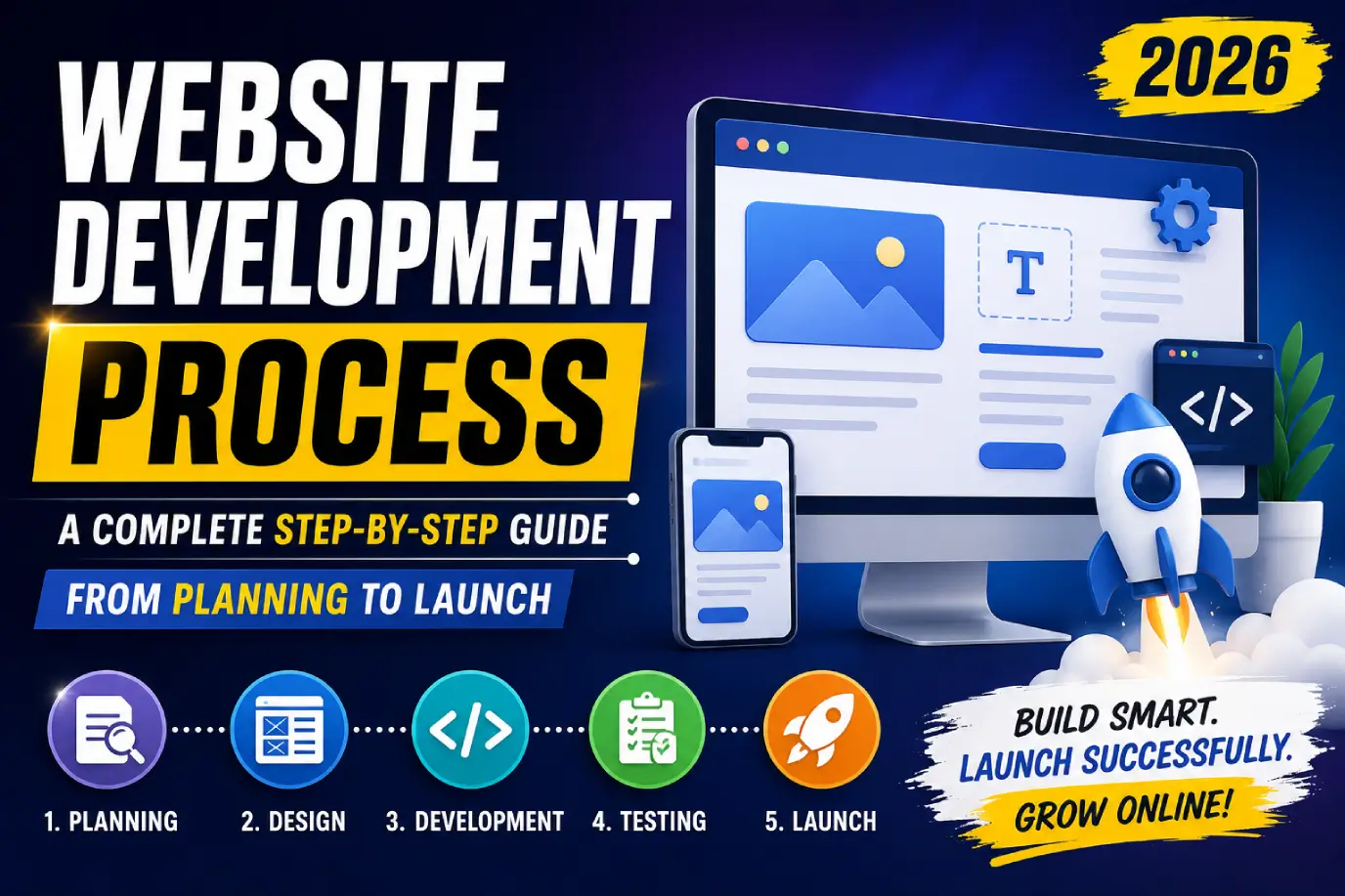
The website development process is the structured sequence of phases used to plan, design, build, test, and launch a website. It typically includes discovery, requirements gathering, information architecture, wireframing, UI/UX design, technology selection, frontend and backend development, CMS integration, QA testing, SEO and performance optimization, security checks, deployment, and post-launch monitoring. A typical project takes 6–16 weeks depending on complexity, and following a structured process significantly reduces the risk of scope creep, delays, and quality issues.
Key Takeaways
- The website development process has 14 distinct phases, each building on the previous one.
- Skipping discovery and planning is the single biggest cause of scope creep and budget overruns.
- SEO, performance, and security should be integrated throughout development — not bolted on after launch.
- Testing and QA are not optional steps; they directly determine launch quality.
- A website is never “done” at launch — post-launch monitoring and maintenance are part of the full lifecycle.
- Agile approaches offer more flexibility for evolving projects, while Waterfall suits well-defined, fixed-scope builds.
1. What Is the Website Development Process?
The website development process is the end-to-end workflow used to take a website from initial concept to a live, functioning product — and beyond, into ongoing maintenance. It mirrors the broader Software Development Life Cycle (SDLC) applied specifically to websites, covering strategic planning, design, technical development, quality assurance, and launch.
A clear process matters because website projects involve multiple disciplines — strategy, design, development, SEO, and QA — that need to happen in the right sequence to avoid rework and miscommunication.
2. Why a Structured Development Process Matters
Without a defined process, projects tend to drift: requirements change mid-build, design and development happen out of sync, and testing gets compressed at the end. A structured process delivers:
- Predictable timelines and budgets — clear phases make estimation and tracking realistic.
- Reduced scope creep — defined requirements upfront limit mid-project surprises.
- Better quality outcomes — dedicated testing and optimization phases catch issues before launch.
- Stronger collaboration — clear handoffs between strategy, design, and development teams.
3. Phase 1: Discovery & Business Goals
Every successful website starts with discovery — understanding the business, its goals, and its audience before any design or code begins.
Key discovery activities:
- Clarifying business objectives (lead generation, sales, brand authority)
- Identifying target audience and user personas
- Reviewing competitors and industry benchmarks
- Defining success metrics (traffic, conversions, rankings)
- Establishing budget range and timeline expectations, informed by a realistic website development cost framework
4. Phase 2: Research & Requirements Gathering
This phase translates discovery insights into concrete project requirements.
- Document required pages, features, and functionality
- Identify necessary integrations (CRM, payment gateways, booking tools)
- Define content requirements (copy, imagery, video)
- Establish technical requirements (CMS needs, hosting, scalability)
- Create a requirements document that both client and development team formally agree on
A clear, documented scope at this stage is the single most effective safeguard against scope creep later in the project.
5. Phase 3: Information Architecture & Sitemap
Information architecture (IA) organizes how content and pages relate to one another, ensuring intuitive navigation for both users and search engines.
- Create a sitemap outlining all pages and their hierarchy
- Define primary and secondary navigation structures
- Plan URL structure with SEO and usability in mind
- Map user journeys from entry point to conversion goal
6. Phase 4: Wireframing & User Flows
Wireframing creates low-fidelity layouts of each page, focusing on structure and functionality rather than visual design.
- Wireframes outline content placement, navigation, and key UI elements
- User flow diagrams map how visitors move through the site toward conversion actions
- Wireframes are typically reviewed and approved before moving into visual design, preventing costly design revisions later
7. Phase 5: UI/UX Design
This phase transforms wireframes into a polished visual design.
- UX design focuses on usability, accessibility, and overall user experience
- UI design focuses on visual elements: typography, color, imagery, and interactive components
- Design systems and component libraries (often built in tools like Figma) ensure consistency across the site
- Designs are typically reviewed with stakeholders before development begins, minimizing rework
For deeper guidance on this phase specifically, see our UI/UX design guide.
8. Phase 6: Technology Stack Selection
Choosing the right technology stack depends on project complexity, scalability needs, and team expertise.
| Approach | Best For | Example Technologies |
|---|---|---|
| CMS (WordPress, Webflow) | Content-heavy sites, faster builds | WordPress, Webflow |
| Ecommerce platform | Online stores | Shopify, WooCommerce |
| Custom frontend framework | Performance-critical, highly interactive sites | React, Next.js, Vue.js, Angular |
| Custom backend | Complex business logic, integrations | Node.js, Laravel, Django, ASP.NET |
| Headless architecture | Maximum flexibility, omnichannel delivery | Next.js + headless CMS via REST/GraphQL |
The right choice balances development speed, long-term maintainability, and the specific functionality the project requires.
9. Phase 7: Frontend Development
Frontend development builds everything users see and interact with directly — built using HTML, CSS, and JavaScript (or frameworks like React or Next.js).
- Convert approved designs into functional, responsive code
- Ensure consistent behavior across browsers and devices
- Implement accessibility standards (WCAG) from the start
- Optimize for performance from the outset, not as an afterthought
10. Phase 8: Backend Development
Backend development handles the server-side logic, databases, and integrations that power the website’s functionality.
- Build and configure databases for content, users, and transactions
- Develop APIs (REST or GraphQL) to connect frontend and backend systems
- Implement business logic (e.g., booking systems, calculations, workflows)
- Integrate third-party services (payment processors, CRMs, ERPs)
11. Phase 9: CMS & Content Integration
If the project uses a CMS, this phase configures content models and populates real content.
- Set up content types and fields matching the site’s structure
- Migrate or input final copy, images, and metadata
- Train stakeholders on how to manage and update content post-launch
- Verify that all dynamic content displays correctly across page templates
12. Phase 10: Testing & Quality Assurance
QA testing verifies the site functions correctly before launch, catching issues that are far more expensive to fix after going live.
- Functional testing — forms, links, navigation, and interactive elements work correctly
- Cross-browser and cross-device testing — consistent experience across platforms
- User Acceptance Testing (UAT) — stakeholders confirm the site meets requirements
- Performance testing — load times under realistic conditions
- Security testing — vulnerability checks before going live
13. Phase 11: SEO & Performance Optimization
SEO and performance should be built into development, not retrofitted afterward.
- Implement clean, descriptive URL structures and metadata
- Optimize images, scripts, and assets for fast load times
- Configure XML sitemaps and robots.txt
- Implement schema markup where relevant
- Test Core Web Vitals using Google Lighthouse and PageSpeed Insights
See our technical SEO guide and what is SEO guide for deeper context on integrating SEO throughout development.
14. Phase 12: Security & Accessibility Checks
Before launch, confirm the site meets baseline security and accessibility standards.
- Implement HTTPS site-wide with a valid SSL certificate
- Follow OWASP guidelines to address common web vulnerabilities
- Test accessibility against WCAG standards (keyboard navigation, alt text, color contrast)
- Set up proper user authentication and data handling practices where applicable
15. Phase 13: Website Deployment
Deployment moves the finished website from a staging environment to the live production environment.
- Conduct final testing in a staging environment that mirrors production
- Configure DNS, hosting, and CDN settings (e.g., via Cloudflare or Vercel)
- Set up redirects for any URL changes (critical for redesigns, to preserve SEO equity)
- Monitor closely in the hours immediately following launch for unexpected issues
16. Phase 14: Post-Launch Monitoring
Launch is not the finish line — the first days and weeks after going live require active monitoring.
- Monitor Google Search Console for indexing and crawl errors
- Track analytics to confirm tracking is firing correctly
- Watch for broken links, 404 errors, or performance regressions
- Gather initial user feedback and address urgent issues quickly
17. Website Maintenance & Continuous Improvement
A website’s performance depends on what happens after launch just as much as the build itself.
- Apply regular CMS, plugin, and security updates
- Monitor and improve site speed as content and traffic grow
- Continuously refine based on analytics and conversion data
- Treat SEO and content as ongoing efforts, not one-time tasks
For a full breakdown, see our dedicated website maintenance guide.
18. Common Development Mistakes
- Skipping or rushing the discovery and requirements phase
- Starting development before designs are fully approved
- Treating SEO as a final-step add-on rather than an integrated process
- Inadequate testing across devices and browsers before launch
- No staging environment, leading to risky direct-to-production changes
- No post-launch monitoring or maintenance plan
- Poor documentation, making future updates harder and slower
19. Website Development Checklist
- Business goals and success metrics defined
- Requirements documented and approved
- Sitemap and information architecture finalized
- Wireframes approved before design begins
- UI/UX designs approved before development begins
- Technology stack selected based on project needs
- Frontend and backend development completed and reviewed
- Content fully populated and reviewed
- QA testing completed across devices and browsers
- SEO and performance optimization implemented
- Security and accessibility checks passed
- Redirects configured for any URL changes
- Analytics and tracking verified post-launch
- Maintenance plan in place
20. Tools & Resources
- Google Search Central and web.dev — official SEO and performance guidance
- Google Lighthouse and Google PageSpeed Insights — performance auditing tools
- MDN Web Docs — technical reference for HTML, CSS, and JavaScript
- W3C — web standards and accessibility guidelines
- OWASP — web application security best practices
- Figma — UI/UX design and prototyping
- GitHub — version control and collaboration
- React Documentation and Next.js Documentation — framework-specific technical references
21. Expert Tips
- Treat the requirements document as a contract — referring back to it is the easiest way to manage scope creep professionally.
- Never skip wireframe approval before moving to visual design; it’s far cheaper to fix structure early than after design work is complete.
- Build SEO and performance into development from day one — retrofitting both after launch typically costs more and delivers weaker results.
- Always test in a staging environment before deploying changes directly to a live, indexed website.
22. Real Examples
Service business redesign: A professional services firm replacing an outdated site followed structured discovery and wireframing phases, reducing mid-project revision requests significantly compared to their previous, process-light build.
SaaS marketing site: A SaaS company building a new marketing site integrated SEO and performance testing throughout development rather than after launch, resulting in strong Core Web Vitals scores from day one.
Multi-stakeholder enterprise project: A larger organization with multiple internal stakeholders relied on a documented requirements phase and formal UAT process to keep a complex project aligned and on schedule despite its scope.
FAQs
1. What is the website development process?
The website development process is the structured sequence of phases used to plan, design, build, test, and launch a website, typically including discovery, design, development, QA, deployment, and post-launch maintenance.
2. What are the stages of website development?
The core stages are discovery, requirements gathering, information architecture, wireframing, UI/UX design, technology selection, frontend and backend development, CMS integration, testing, SEO/performance optimization, security checks, deployment, and post-launch monitoring.
3. How long does website development take?
Most websites take 6–16 weeks to develop, depending on complexity, the number of custom features, and how quickly content and feedback are provided during the project.
4. What happens before coding starts?
Before coding begins, teams typically complete discovery, requirements gathering, information architecture, wireframing, and UI/UX design — establishing what the site needs to do and look like before any development work starts.
5. How do you launch a website?
Launching a website involves final testing in a staging environment, configuring hosting and DNS settings, setting up any necessary redirects, deploying to production, and closely monitoring performance immediately after going live.
6. What is the SDLC for websites?
The SDLC (Software Development Life Cycle) for websites refers to the structured phases — planning, design, development, testing, deployment, and maintenance — applied to building and maintaining a website.
7. What is the difference between frontend and backend development?
Frontend development builds what users see and interact with directly (using HTML, CSS, and JavaScript), while backend development handles server-side logic, databases, and integrations that power the site’s functionality.
8. Agile vs Waterfall: which is better for website development?
Agile suits projects with evolving requirements and benefits from iterative feedback, while Waterfall suits well-defined, fixed-scope projects with clear requirements established upfront — the right choice depends on project complexity and flexibility needs.
9. What is wireframing and why is it important?
Wireframing creates low-fidelity layouts focused on structure and functionality before visual design begins, helping teams validate page structure and user flow early, when changes are far cheaper to make.
10. Should I choose custom development or a CMS?
A CMS like WordPress is typically faster and more cost-effective for content-heavy sites, while custom development offers more flexibility and performance control for sites with unique functionality requirements.
11. How do I prevent scope creep during website development?
Document detailed requirements upfront, get formal approval at each major phase (wireframes, design, before development), and use a clear change-request process for anything added mid-project.
12. Why is my website slow after launch?
Common causes include unoptimized images, excessive scripts, lack of caching or a CDN, or performance issues that weren’t addressed during development — a performance audit using tools like Google Lighthouse can identify the specific cause.
13. What questions should I ask a web developer before hiring them?
Ask about their typical process, what’s included in their quote, how revisions are handled, who owns the final code and design files, and what post-launch support is included.
14. How does SEO fit into the development process?
SEO should be integrated throughout development — particularly during information architecture, frontend development, and a dedicated SEO and performance optimization phase — rather than addressed only after launch.
15. What happens after a website launches?
After launch, teams should monitor for technical issues, verify analytics tracking, gather user feedback, and transition into ongoing maintenance covering updates, performance, and continuous optimization.
Conclusion
The website development process isn’t just a technical workflow — it’s the framework that determines whether a project stays on budget, hits its timeline, and delivers a site that actually performs. From discovery through post-launch monitoring, each of the 14 phases builds on the one before it, and skipping any of them tends to surface as a costly problem later.
Whether you’re planning your first website or managing a complex redesign, the same principle holds: invest in planning and testing as much as you invest in design and code, and treat launch as the beginning of an ongoing process rather than the finish line.