
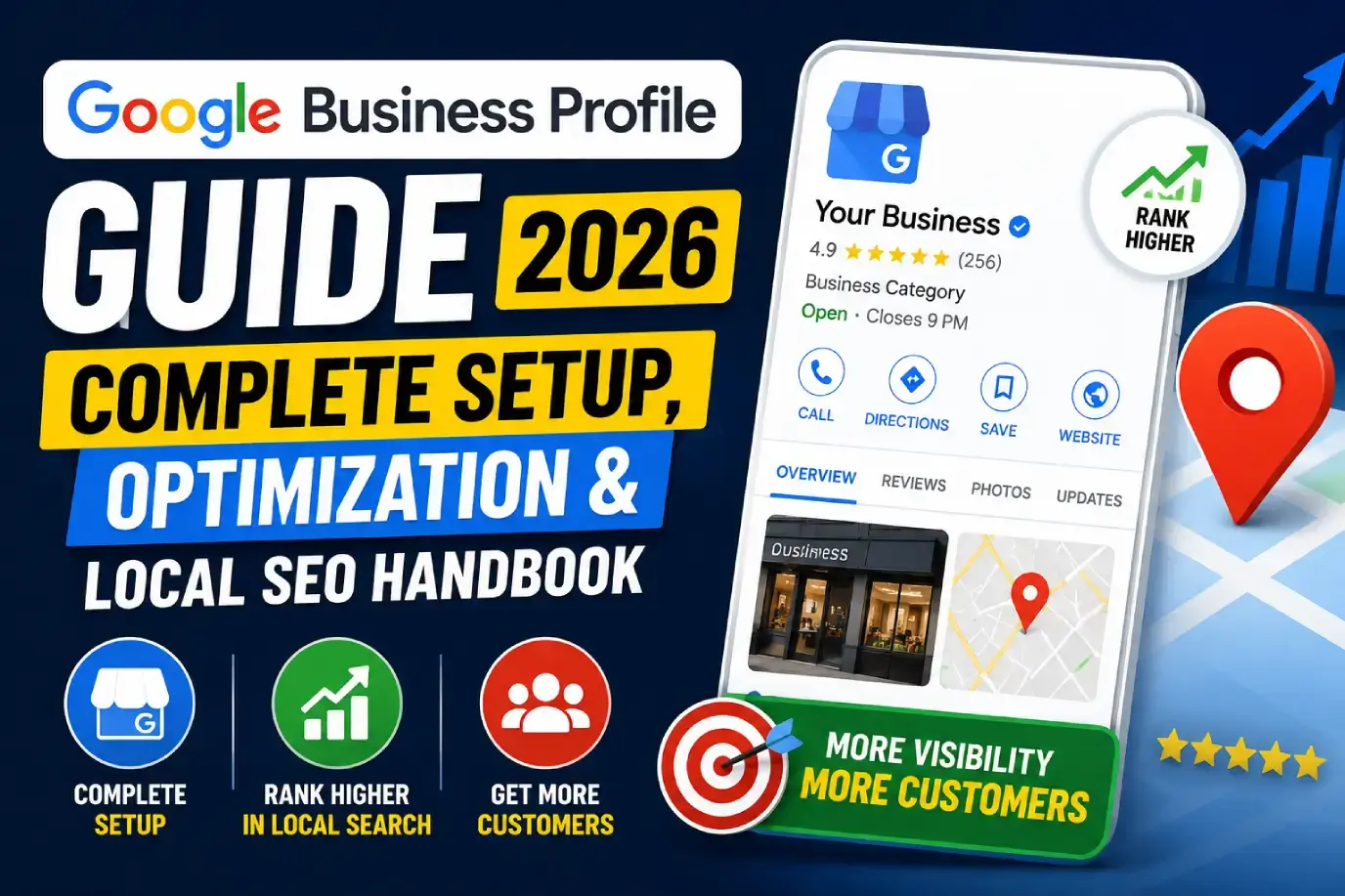
Introduction
If your business serves local customers and you’re not showing up in the Google Maps Local Pack, you’re losing leads to competitors who are. Google Business Profile (GBP) is the single most important free tool for local visibility — it controls how your business appears in Google Search and Maps, including your hours, reviews, photos, and contact details.
This guide covers everything from creating and verifying your profile to advanced optimization, review strategy, multi-location management, and recovering a suspended listing. Whether you’re setting up your first profile or auditing an existing one that isn’t performing, you’ll find a complete, current framework here.
A Google Business Profile (GBP) is a free Google tool that lets businesses manage how they appear in Google Search and Google Maps, including business information, photos, reviews, and posts. To optimize it, claim and verify your listing, choose accurate business categories, complete every profile section, maintain consistent NAP (Name, Address, Phone) information, actively manage reviews, and post updates regularly. Well-optimized profiles rank higher in the Local Pack and drive more calls, website visits, and foot traffic.
Key Takeaways
- Google Business Profile is free and directly controls your visibility in Google Maps and local search.
- Google Maps rankings are based on three factors: proximity, relevance, and prominence.
- A complete, accurate, and consistently updated profile outperforms an incomplete one, regardless of business size.
- Reviews are one of the strongest local ranking and trust signals — actively managing them matters.
- Suspended profiles are usually recoverable by fixing the underlying policy violation and submitting reinstatement.
- GBP optimization is ongoing, not a one-time setup task.
1. What Is Google Business Profile?
Google Business Profile (GBP), formerly Google My Business, is a free listing that controls how your business appears across Google Search and Google Maps. It displays your business name, address, phone number, hours, website, reviews, photos, and posts directly in search results — often before a user ever visits your website.
GBP is the foundation of local SEO because it’s the primary data source Google uses to determine which businesses appear in the Local Pack (the map and three-listing block shown for local searches).
2. Why Google Business Profile Matters
For any business with a physical location or service area, GBP is often the first — and sometimes only — touchpoint a potential customer sees before deciding to call, visit, or click through to the website.
GBP matters because it:
- Controls visibility in the Local Pack and Google Maps
- Influences whether customers call, visit, or click to your website
- Builds trust through reviews, photos, and accurate information
- Provides free, high-intent local visibility without ad spend
- Feeds directly into Google’s local ranking algorithm
3. Benefits for Local Businesses
- Higher local search and Google Maps rankings
- Increased phone calls and direction requests
- More website clicks from high-intent local searchers
- Stronger customer trust through reviews and complete information
- Increased foot traffic for physical locations
- A free, ongoing channel for visibility and engagement (Google Posts, Q&A, messaging)
4. How Google Maps Rankings Work
Google ranks local listings based on three core factors:
| Factor | What It Means | How to Improve It |
|---|---|---|
| Proximity | How close the business is to the searcher’s location | Cannot be changed directly, but service-area settings should be accurate |
| Relevance | How well the profile matches the search query | Accurate categories, complete profile, optimized description |
| Prominence | How well-known and reputable the business is | Reviews, citations, backlinks, overall online presence |
A profile optimized for relevance and prominence will consistently outperform an incomplete or inconsistent one, even when proximity is equal among competitors.
5. How to Create a Google Business Profile
- Go to Google Business Profile Manager and sign in with a Google account.
- Enter your business name exactly as it appears in real-world branding.
- Select the most accurate primary business category.
- Add your business location or service area, depending on your business type.
- Add your phone number and website URL.
- Choose how customers can find your business (storefront vs. service area).
- Submit for verification (covered next).
6. How to Verify Your Business
Verification confirms to Google that you legitimately operate the business. Common verification methods include:
- Postcard verification — a code mailed to your business address
- Phone verification — available for some eligible businesses
- Email verification — for certain account types
- Video verification — increasingly used for service-area and certain business types
- Instant verification — automatic for businesses already verified through Google Search Console
Verification timelines vary — postcard verification typically takes 5–14 days, while phone or instant verification can be immediate.
7. Completing Every Profile Section
An incomplete profile is one of the most common reasons businesses underperform locally. Make sure every section is filled out:
- Business name, address, and phone number (NAP)
- Business hours, including holiday hours
- Website URL
- Business categories (primary and secondary)
- Business description
- Products and services
- Attributes (e.g., “women-led,” “wheelchair accessible”)
- Photos and videos
- Booking or appointment links, if applicable
8. Choosing the Right Business Categories
Categories are one of the strongest relevance signals Google uses. Choose:
- One primary category that most precisely describes your core business
- Secondary categories for additional relevant services, without over-adding unrelated ones
Avoid choosing overly broad categories when a more specific one exists — for example, “Italian Restaurant” is stronger than simply “Restaurant” if accurate.
9. Writing an SEO-Friendly Business Description
Your business description (up to 750 characters) should:
- Clearly explain what your business does and who it serves
- Naturally include relevant local and service keywords
- Avoid keyword stuffing or promotional language that violates Google’s guidelines
- Highlight what differentiates your business (specialties, certifications, experience)
10. Products and Services Optimization
Adding detailed products and services helps Google match your profile to more specific searches.
- List individual services with clear names and short descriptions
- Add pricing where appropriate and allowed
- Group products logically by category
- Keep listings updated as offerings change
11. Managing Photos and Videos
Profiles with high-quality, regularly updated photos receive significantly more engagement than those without. Include:
- Exterior and interior photos
- Team and staff photos
- Product or service photos
- Logo and cover photo
- Short videos showcasing the business
Geo-tagged images are often discussed as a ranking factor, but this is largely a myth — image metadata has limited direct ranking impact. What does matter is photo quality, recency, and relevance to the business.
12. Google Reviews Strategy
Reviews are one of the strongest prominence and trust signals for local rankings.
- Ask satisfied customers directly and consistently — timing matters (right after a positive experience works best).
- Make it easy with a direct review link shared via email, SMS, or receipt.
- Never use incentivized or fake reviews — this violates Google’s policies and risks suspension.
- Aim for a steady, ongoing flow of reviews rather than sporadic bursts.
13. Responding to Reviews
Responding to reviews — both positive and negative — signals active management and builds trust with future customers.
- Thank customers for positive reviews, personalizing responses when possible.
- Address negative reviews professionally, acknowledge the concern, and offer to resolve it offline.
- Never argue publicly or violate customer privacy in responses.
- Respond promptly; timely responses reflect well on customer service.
14. Google Posts Best Practices
Google Posts let you share updates, offers, and events directly on your profile.
- Post regularly (weekly is a strong baseline) to keep the profile active.
- Use clear calls-to-action (“Call Now,” “Learn More,” “Book”).
- Include relevant images and concise, value-driven copy.
- Highlight promotions, new products, or seasonal updates.
15. Messaging, Booking & Calls
Enabling direct engagement features reduces friction between discovery and conversion:
- Messaging — allows customers to message your business directly from the profile.
- Booking links — integrate appointment scheduling tools where applicable.
- Call tracking — use UTM parameters and call tracking numbers to measure GBP-driven calls separately from other channels.
16. Google Business Profile Insights
GBP Insights (within the dashboard) shows how customers find and interact with your profile, including:
- Search queries used to find your business
- Views on Search vs. Maps
- Customer actions (calls, website visits, direction requests)
- Photo views compared to similar businesses
Reviewing insights monthly helps identify what’s working and where to adjust strategy.
17. Local SEO Best Practices
- Maintain NAP consistency across your website, GBP, and all online directories.
- Build local citations on relevant, reputable directories.
- Earn local backlinks through community involvement, partnerships, and local press.
- Create location-specific content on your website that complements your GBP listing.
- Keep your Google Business Profile and website information perfectly aligned.
18. LocalBusiness Schema Integration
Adding LocalBusiness schema markup (via JSON-LD) to your website reinforces the same information shown on your Google Business Profile — business name, address, phone, hours, and reviews — helping search engines confidently connect your website and profile as the same trusted entity.
This is a frequently overlooked technical SEO step that strengthens overall local search relevance and supports rich result eligibility.
19. Multi-Location Optimization
Businesses with multiple locations need a structured approach:
- Create a separate, fully optimized GBP for each individual location.
- Use Google’s Business Profile bulk management tools for businesses with many locations.
- Maintain unique, accurate NAP data per location — never duplicate the same phone number across listings unless it’s genuinely shared.
- Build location-specific pages on your website that align with each GBP listing.
- Monitor and respond to reviews at the individual location level.
20. Common GBP Mistakes
- Leaving the profile incomplete after initial setup
- Inconsistent NAP information across the web
- Choosing inaccurate or overly broad categories
- Ignoring reviews, especially negative ones
- Using a virtual office or fake address for a service-area business
- Letting the profile go stale with no new photos or posts
- Creating duplicate listings for the same location
21. Suspended Profile Recovery
A suspended Google Business Profile typically results from a policy violation — incorrect address, prohibited content, suspicious activity, or guideline violations.
Recovery steps:
- Identify the likely cause by reviewing Google’s Business Profile guidelines.
- Correct the underlying issue (e.g., fix address, remove prohibited content).
- Submit a reinstatement request through Google Business Profile support.
- Provide accurate supporting documentation if requested.
- Avoid making further changes that could trigger repeat suspension while the request is reviewed.
Reinstatement timelines vary, and persistence with accurate documentation is often necessary.
22. Monthly GBP Maintenance Checklist
- Confirm business hours are accurate (including upcoming holidays)
- Respond to all new reviews
- Add at least 2–4 new photos
- Publish at least one Google Post
- Review Insights for new search queries and trends
- Check for and remove duplicate or fraudulent listings
- Verify NAP consistency across directories
- Update products/services if offerings changed
- Monitor for suspicious competitor edits
23. Tools & Resources
- Google Business Profile Help — official setup and policy documentation
- Google Search Console — monitor website search performance alongside GBP
- Schema.org — reference for LocalBusiness structured data
- BrightLocal, Whitespark — local SEO citation and rank tracking tools
- Semrush, Moz — broader SEO and local visibility research tools
24. Expert Tips
- Treat GBP optimization as an ongoing channel, not a one-time setup task — profiles that are actively maintained consistently outperform static ones.
- Prioritize review response speed and quality; it’s one of the most visible trust signals to potential customers.
- Keep your website and GBP information perfectly synchronized — inconsistency erodes both customer trust and ranking signals.
- For multi-location businesses, build a repeatable monthly process rather than managing each location ad hoc.
25. Real Examples
Local restaurant: A neighborhood restaurant that completed every profile section, added weekly photo updates, and implemented a consistent review request process saw a steady increase in Local Pack visibility and direction requests over several months.
Home service business: A service-area plumbing business correcting inconsistent NAP data across directories and adding accurate service categories improved its relevance signals and began appearing in more local searches outside its immediate zip code.
Multi-location retailer: A retail chain that separated previously merged location data into individually optimized profiles, each with location-specific reviews and photos, saw clearer differentiation and improved rankings at the individual store level.
FAQs
1. What is Google Business Profile?
Google Business Profile is a free Google tool that lets businesses manage how they appear in Google Search and Google Maps, including business information, reviews, photos, and posts.
2. Is Google Business Profile free?
Yes, creating and managing a Google Business Profile is completely free; there is no cost to claim, verify, or optimize a listing.
3. How do I create a Google Business Profile?
Sign in to Google Business Profile Manager, enter your business details, choose accurate categories, set your location or service area, and submit for verification.
4. How do I verify my business?
Common verification methods include postcard, phone, email, video, or instant verification (for businesses already verified through Google Search Console), depending on your business type and eligibility.
5. Why isn’t my business showing on Google Maps?
Common causes include an unverified profile, incomplete information, inaccurate categories, inconsistent NAP data, or low prominence compared to competitors.
6. How do I get more Google reviews?
Ask satisfied customers directly and consistently, make it easy with a direct review link, and never use fake or incentivized reviews, which violate Google’s policies.
7. How do I rank higher on Google Maps?
Improve relevance through accurate categories and a complete profile, and improve prominence through reviews, citations, and overall online reputation, since these factors combine with proximity to determine rankings.
8. How long does Google Business Profile verification take?
Postcard verification typically takes 5–14 days, while phone or instant verification can be completed within minutes for eligible businesses.
9. What are proximity, relevance, and prominence?
These are the three core Google Maps ranking factors: proximity measures distance to the searcher, relevance measures how well the listing matches the search, and prominence measures the business’s overall reputation and visibility.
10. How do I optimize a multi-location Google Business Profile?
Create separate, fully optimized profiles for each location with unique NAP data, location-specific photos and reviews, and consistent monthly maintenance across all listings.
11. How do I recover a suspended Google Business Profile?
Identify and correct the underlying policy violation, then submit a reinstatement request through Google Business Profile support with accurate supporting documentation.
12. Should I hire a Local SEO agency for Google Business Profile management?
It depends on time and expertise — single-location businesses can often manage GBP themselves with consistent effort, while multi-location or competitive businesses often benefit from professional local SEO management.
13. How does LocalBusiness schema support Google Business Profile?
LocalBusiness schema markup on your website reinforces the same business information shown on your GBP listing, helping search engines confidently connect both as the same trusted entity.
14. What’s the difference between Google Business Profile and a website?
Google Business Profile controls visibility within Google Search and Maps directly, while a website provides deeper content, branding, and conversion opportunities — both work together in a complete local SEO strategy.
15. How often should I update my Google Business Profile?
Active management — including new photos, posts, and review responses — should happen at least monthly, with hours and business information updated immediately whenever they change.
Conclusion
A well-optimized Google Business Profile is one of the highest-leverage, lowest-cost tools available to local businesses today. It directly shapes whether customers find you, trust you, and choose to call, visit, or click through to your website.
The businesses that consistently rank well in the Local Pack aren’t necessarily the biggest — they’re the ones that keep their profile complete, accurate, and actively managed over time. Treat GBP optimization as an ongoing process: verify and complete your profile, build a steady review strategy, post regularly, and monitor your insights to keep improving.